Comprehensive Features Guide
Explore the complete capabilities of Dlives — from desktop media controls to full Liquid Glass styling.
1. Home Dashboard & Quick Glance Cards
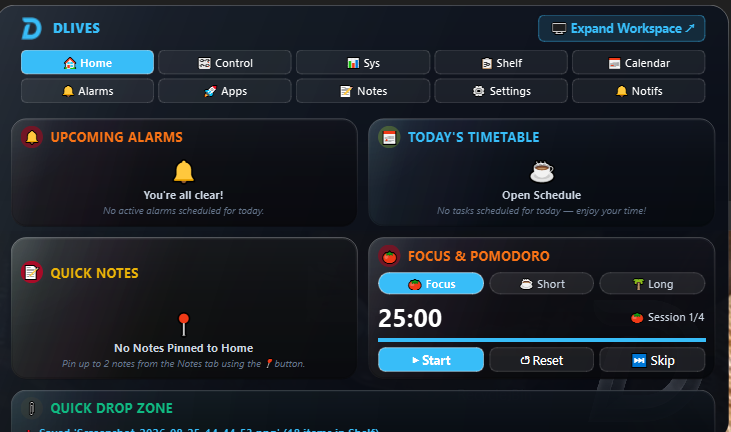
The Home tab is the command center of the expanded island. It compiles widgets into a compact glass grid so you can assess your day in seconds without opening separate applications:
- Upcoming Alarms Card: Highlights next scheduled chime alarms for the day.
- Today's Timetable: Shows the active routine block from your timetable schedule.
- Pinned Notes: Read and copy sticky notes pinned directly from your Notes scratchpad.
- Focus & Pomodoro Timer: Built-in configurable focus interval timer (1–120 min) with start, reset, and skip controls.
- Quick Drop Zone: Instant drag-and-drop landing area to stash temporary files.
2. Control Center (Media, Volume & Brightness)
Dlives integrates deeply with Windows APIs to control audio and hardware sliders directly from the island:
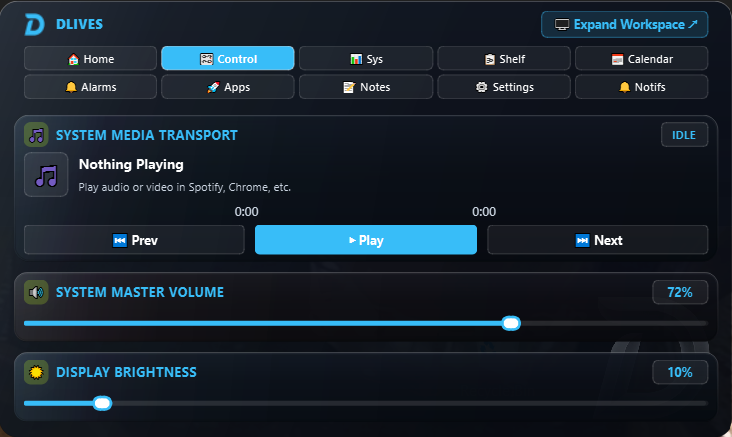
- System Media Transport Controls (SMTC) with Tap-to-Seek: Native interop controlling Spotify, Chrome, Edge, VLC, Apple Music, and YouTube Music. Tap or click anywhere on the progress bar to seek immediately.
- Master Audio Scalar Slider: Powered by Windows Core Audio API (
pycaw) for smooth 0–100% precision audio level adjustments with tap-to-set. - Display Brightness Slider: Controls monitor backlight levels directly.
3. Alarms & Timetable Scheduling
Stay on track with lightweight, standalone alarm chimes that don't depend on Windows Clock:
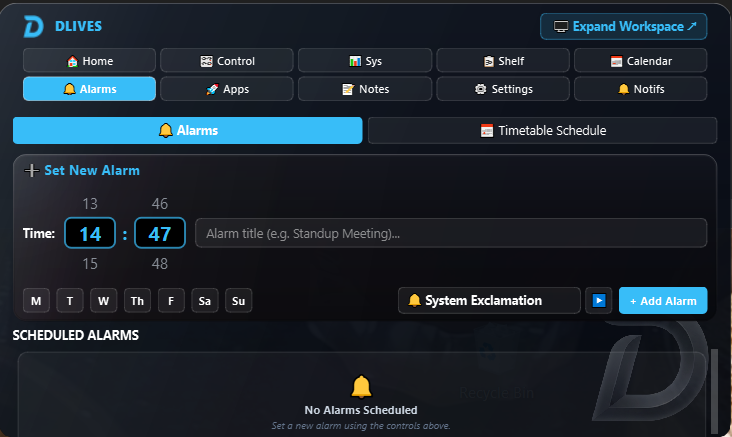
- Time Picker & Repeat Days: Set time down to the minute and assign recurring days.
- Sound Selector: Pick between system exclamations, digital chirps, or gentle chimes.
- Slide-in Banner Alerts: When an alarm fires, an interactive modal card appears with Dismiss and 5-minute Snooze actions, collapsing snappily in 110ms.
- Daily Timetable Checklist: Configure recurring daily schedule blocks to check off as you work.
4. Quick Notes & File Explorer Integration
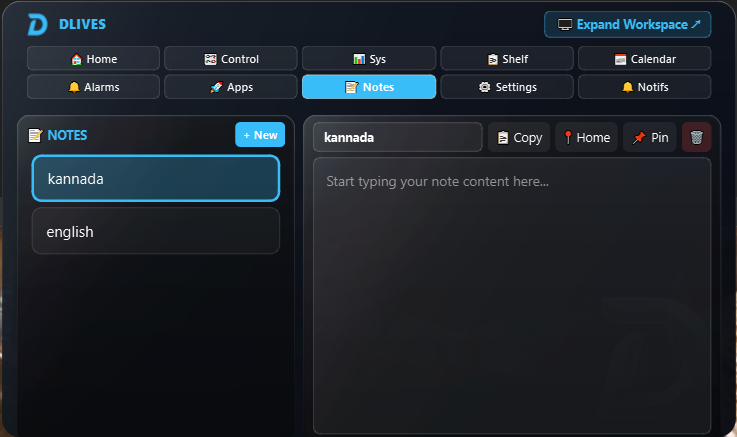
Never lose your thoughts. Notes in Dlives are designed with zero proprietary lock-in:
%AppData%\Dlives\notes\<Title>.txt.
- Live Keystroke Auto-Save: Content is written to disk instantly on every keypress.
- Pin to Home: Toggle the pin icon to surface your top priority notes right on the Home tab.
- Copy to Clipboard: One-click button copies entire note content immediately.
5. Calendar & Events
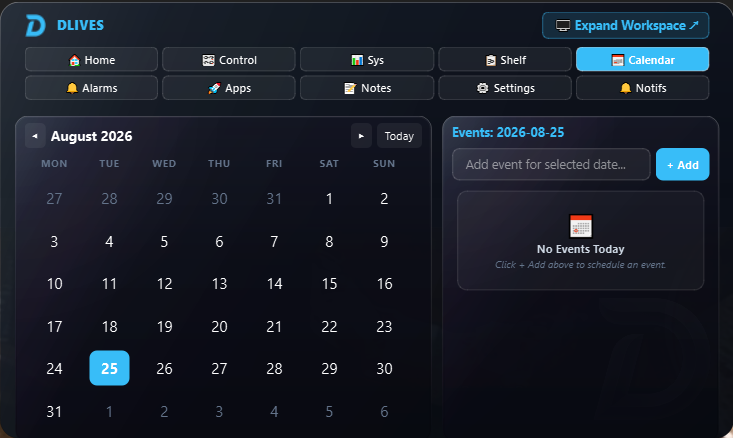
A fast, uncluttered calendar embedded directly in your floating island:
- Glassmorphism Monthly Grid: Smooth date selection with today indicator.
- Event Scheduler: Add timed or all-day notes/events tied to specific dates.
- Offline JSON Storage: Stored locally in
%AppData%\Dlives\calendar.json.
6. Clipboard History & File Shelf
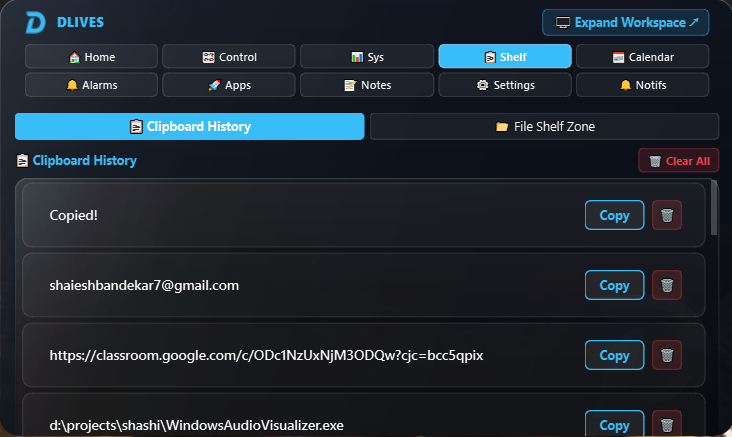
Never retype or lose previously copied links, snippets, or paths:
- Auto-Capture Clipboard: Silently remembers copied text, URLs, and code snippets in an accessible list.
- One-Click Re-Copy: Click "Copy" on any historical item to make it active in your system clipboard.
- File Shelf Zone: Drop files into the island to hold them while switching between directories or applications.
7. System Diagnostics & Telemetry
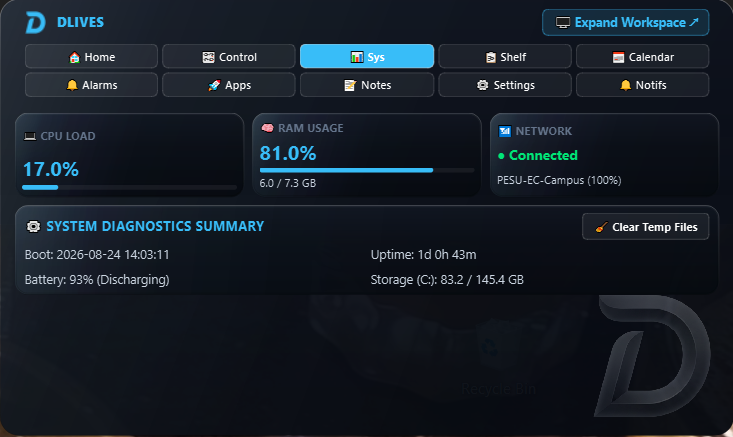
Live hardware performance metrics updated every second:
- CPU & RAM Load: Live utilization percentages and total memory breakdown.
- Battery & Power: Exact percentage, discharge rate, and AC charging status.
- Disk & Temp File Cleaner: View remaining space on C: drive and trigger a 1-click temporary cache flush.
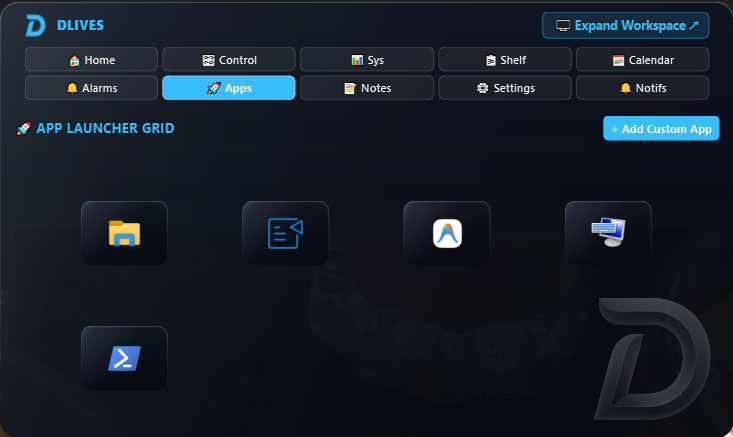
8. Customizable App Launcher
Quickly access essential tools without cluttering your desktop:
- Preconfigured Shortcuts: File Explorer, PowerShell / Terminal, and system utilities.
- Custom App Addition: Pin any
.exeor script with a custom label.
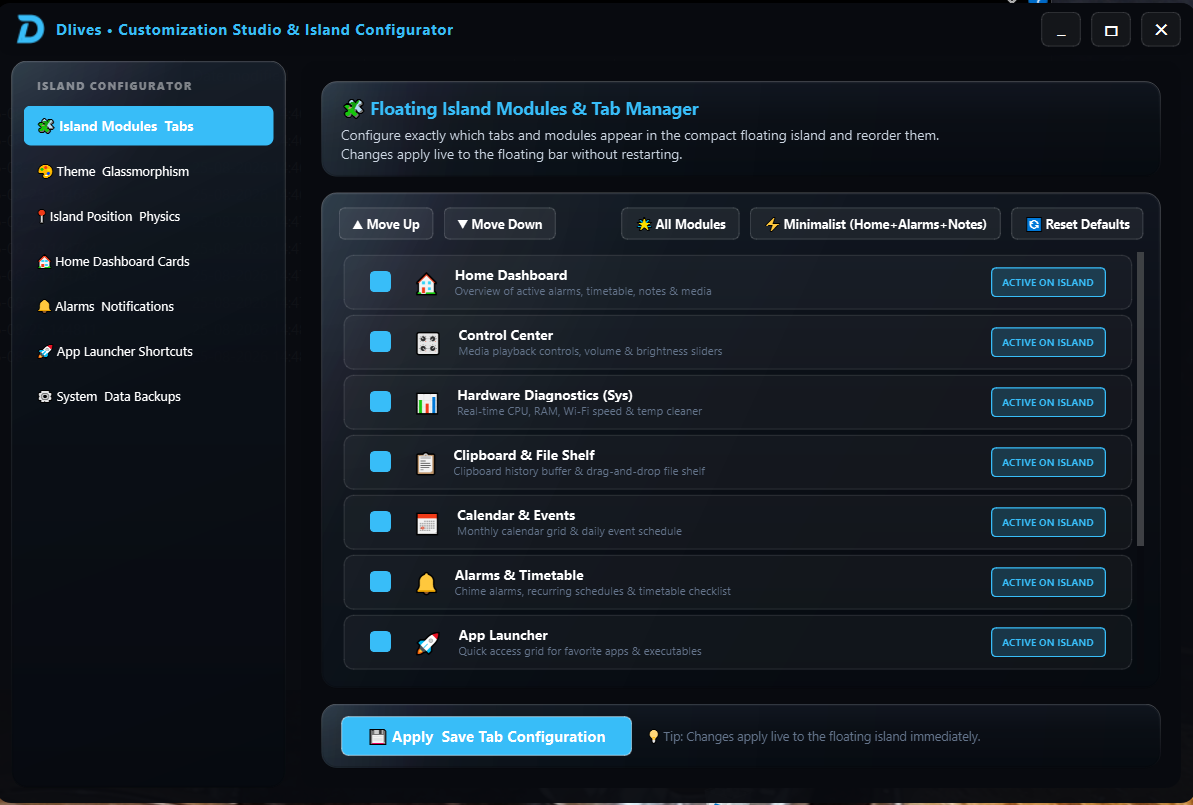
9. Customization Studio & Tab Manager
Tailor every visual and behavioral property of Dlives:
- Live Theming: Choose between Dark and Light mode, 10 curated accent swatches, or input custom hex values.
- Glass Opacity & Corner Radius: Fine-tune translucency (0–100%) and corner curvature (0–30px).
- Tab Manager Studio: Open the full resizable studio window to enable, disable, or reorder tabs to create your ideal setup.