Your Windows desktop,
alive.
A dynamic floating island that lives at the edge of your screen. Hover to expand — alarms, media, notes, calendar, system stats — all in one glass panel. Instantly yours. Never in the way.
Windows 10/11 · 64-bit · No dependencies · Free
Hover. Expand. Do more.
DLives lives as a compact pill at the edge of your screen. When you need it, it's there. When you don't, it's invisible.
Install & Launch
Run the installer — no admin rights needed. DLives starts as a slim pill at the top (or bottom) of your screen and sits quietly in the system tray.
Hover to Expand
Move your cursor toward the pill. It smoothly expands into a full glass dashboard with animated Liquid Glass transitions — no clicking required.
Access Everything
Switch tabs to control media, check your calendar, set alarms, manage notes, monitor system health, or launch apps. Move away — it collapses automatically.
Also triggers on:
Everything you need,
in one floating panel.
11 fully integrated tabs — each a focused tool, always one hover away.
Your day, at a glance
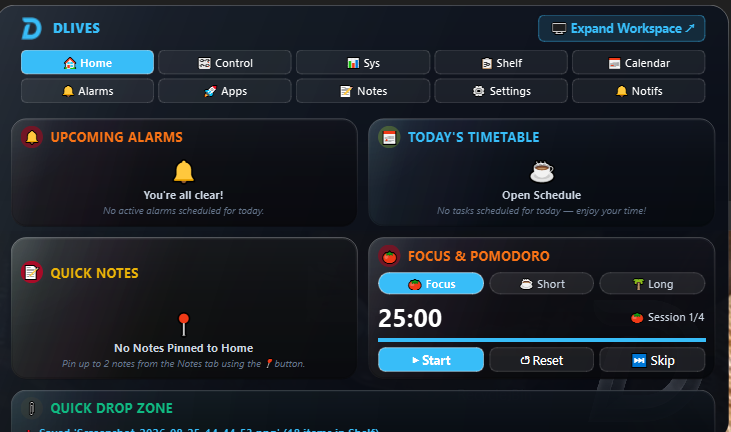
The Home tab greets you with a live overview: upcoming alarms, today's timetable, pinned notes, a Focus & Pomodoro timer, Now Playing media, recent notifications, and a Quick Drop Zone for files. You choose which cards appear.
- Upcoming alarms summary
- Today's timetable schedule
- Pinned notes (up to 2)
- Focus & Pomodoro timer
- Quick file drop zone
Master your media & system
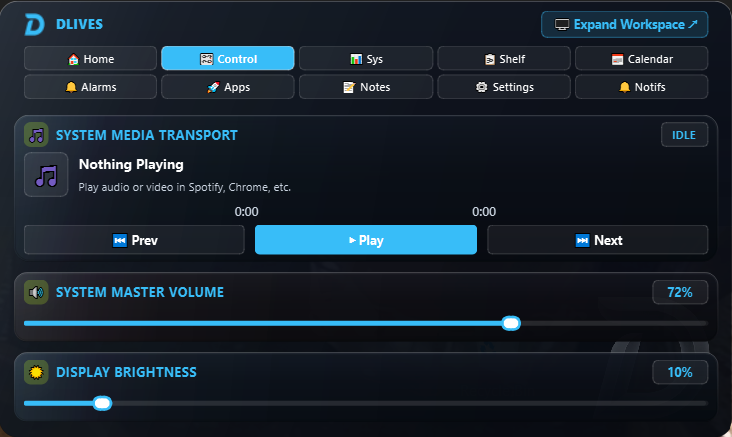
Full media transport hooked into Windows SMTC — controls Spotify, Chrome, VLC, YouTube Music, and any audio app. Plus system master volume and display brightness sliders, updated in real time.
- Now Playing — title & artist
- Play / Pause / Previous / Next
- System master volume slider
- Display brightness slider
Never miss a moment
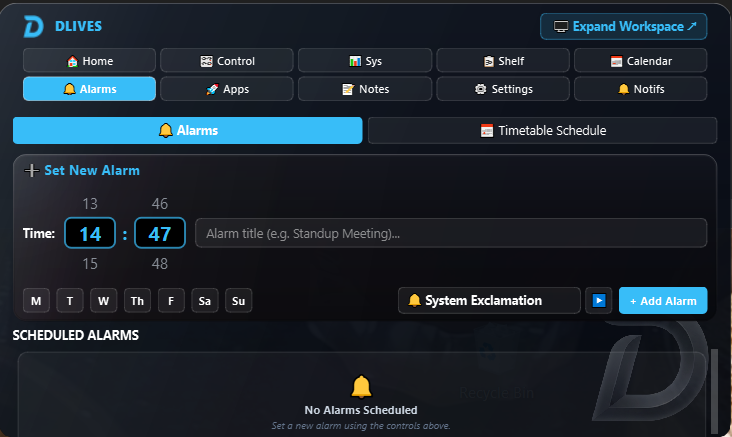
Schedule alarms with a precise time picker, custom title, repeat days, and your choice of chime sound. When an alarm fires, a modal banner card slides in with dismiss or snooze. The Timetable sub-tab handles your recurring daily schedule.
- Per-day repeat schedule (M–Su)
- Custom alarm chime sounds
- Modal banner alert on trigger
- Daily timetable checklist
Every date, organized
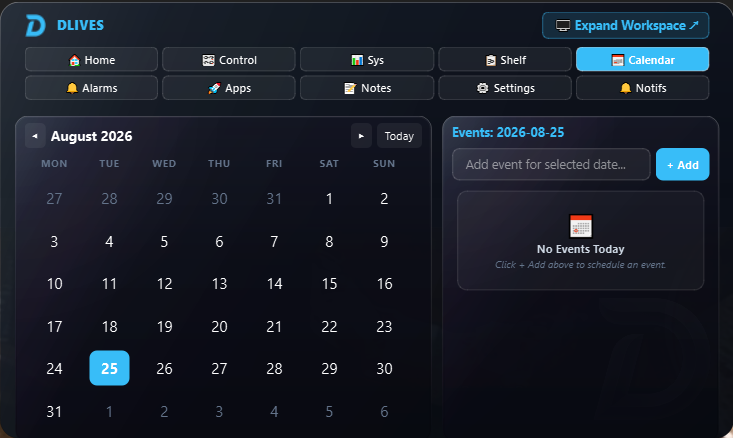
A full glassmorphism calendar widget right inside the island. Click any date to see and add events. Events persist locally as JSON — no Google account, no cloud, just your data.
- Full monthly calendar grid
- Per-date event list
- Quick event creation
- 100% local — no cloud sync needed
Notes that live in File Explorer too
Create multiple named notes, write freely, and content auto-saves on every keystroke. Each note is a real .txt file in your AppData folder — open, edit, or share them directly from File Explorer. Pin your most important notes to the Home dashboard.
- Multiple named notes
- Auto-save on every keystroke
- Real .txt files — not proprietary
- Pin 2 notes to Home dashboard
Never lose what you copied
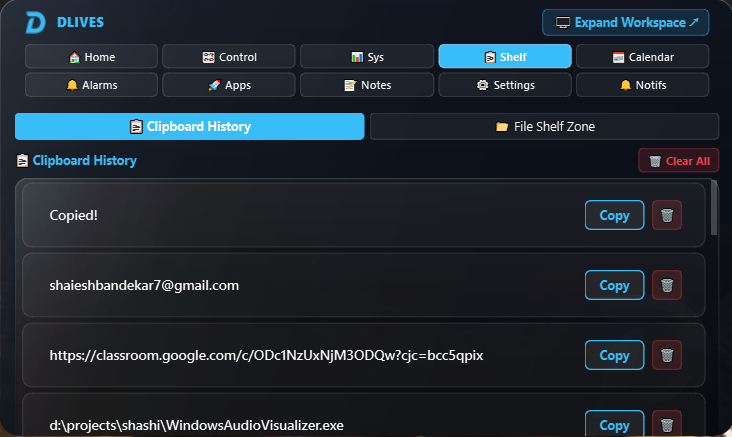
Clipboard History automatically captures everything you copy. Re-copy any past entry with one click. The File Shelf is a drag-and-drop staging area for files you're moving between folders — like a clipboard, but for files.
- Auto-capture clipboard history
- One-click re-copy any entry
- Drag-and-drop File Shelf
- Persistent across sessions
Your system, always monitored
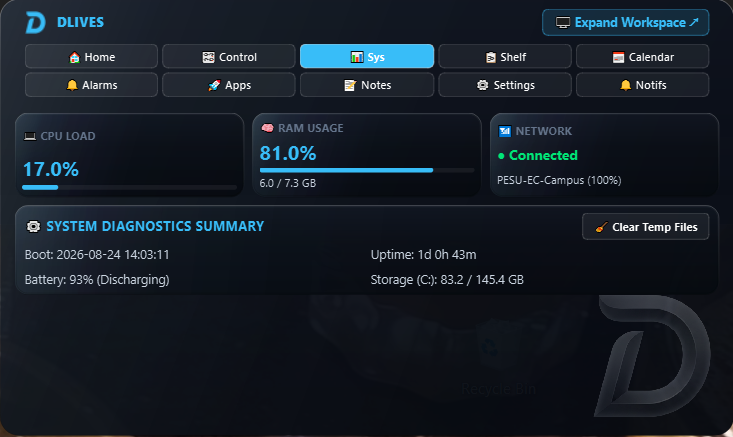
Live CPU load, RAM usage, active Wi-Fi network, battery percentage, storage space, and system uptime — all updating every second. One-click temp file cleaner included.
- CPU%, RAM (used/total), Disk
- Active Wi-Fi + signal strength
- Battery % + charging state
- One-click temp file cleaner
Your apps, one hover away
A customizable icon grid for your most-used apps and executables. Add any custom app or shortcut and it pins instantly to the launcher. Launch anything without touching the taskbar.
- Quick-launch icon grid
- Add any custom app/executable
- Preloaded with common system apps
Make it truly yours
Full live theming — change accent color, glass opacity, corner radius, position, blur, and dark/light mode. Everything applies instantly with no restart. 10 accent presets plus a custom hex picker.
- 10 accent color presets + custom hex
- Dark and Light theme modes
- Glass opacity + corner radius sliders
- 6 screen position options
- Live apply — zero restarts
Full App Interface & Island Configurator
Beyond the island settings, DLives ships a full resizable Customization Studio window. Drag to reorder tabs, toggle exactly which modules appear on the floating island, configure glassmorphism presets, manage app launcher shortcuts, and back up your data — all in a dedicated, spacious interface.
Your Windows notifications, unified
DLives captures recent system notifications — WhatsApp, Mail, Windows alerts — and displays them in a live, scrollable feed inside the island. No more alt-tabbing to the Action Center.
Built for Windows. Works everywhere.
Standalone installer — no Python, no .NET, no runtime dependencies.
Windows 11
Because DLives is not yet code-signed with a paid certificate, Windows may show a blue SmartScreen warning on first install. Click "More info" → "Run anyway" to proceed — this is a one-time step and is safe. Learn more in the FAQ →
Ready to bring your desktop to life?
Free. Standalone. No sign-up. Just download and run.
Download DLives — FreeVersion 1.0 · Windows 10/11 · 64-bit · Developed by Fugentech